
Can't Connect to Amnezia
If you can't connect to Amnezia, or the connection works but there's no traffic (e.g., Instagram feed doesn't refresh), first try resetting the API configuration:
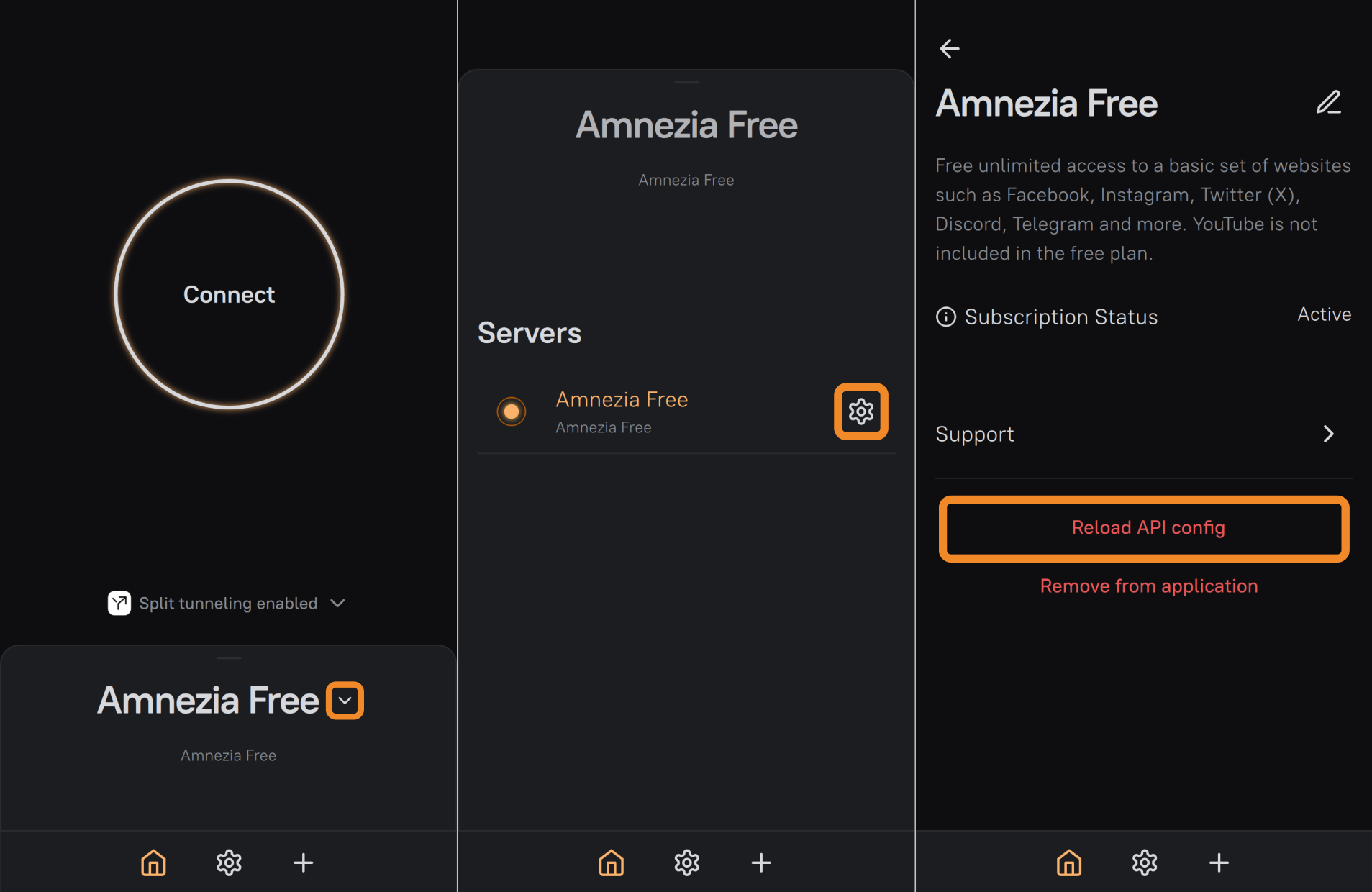
- On the main screen of the AmneziaVPN app, tap "▾" (arrow) next to any connection.
- Tap the ⚙️ (gear icon) next to the Amnezia connection you're having trouble with.
- Tap Reload API config, then Continue. After that, try connecting to the VPN again.
Resetting the API configuration won't "break" your connection — it only helps fetch updated VPN server parameters.
If the connection issue persists after resetting the API configuration, try creating the Amnezia connection using the other method. If the connection created with the TG-bot key fails, test the connection created in the AmneziaVPN app via VPN by Amnezia, and vice versa. Both connection methods are described in our guide: Connecting to Amnezia.
If both Amnezia connection methods fail only on mobile internet, while home (wired) internet works fine, the most likely cause is mobile internet being restricted by "whitelists".
In that case, wait until mobile internet works normally again, or use another internet source without such restrictions.
Mobile internet in Russia is increasingly run in restricted mode ("whitelists"), which makes VPN connection impossible.
Typically, whitelist restrictions apply at certain times of day or in certain parts of the city. For more details on mobile internet whitelist restrictions, check with your mobile operator.
If both Amnezia connection methods fail on both mobile and home (wired) internet, contact us via Telegram chat or email [email protected].